Wukong Enterprise Membership Purchase Guide
Welcome to learn about Wukong Enterprise Member - the AI office intelligence launched by DingTalk, which supports unified procurement, seat allocation and quota management. You can make an appointment with a service expert for free and learn more about Wukong Enterprise membership »Click here to make an appointment

Function introduction
Wukong is an AI work platform launched by DingTalk. Through conversational interaction, it helps you efficiently complete various work tasks such as schedules, documents, approvals, and meetings. Mobilize multiple applications in one sentence, making AI truly your work partner. By upgrading to Wukong membership, you can obtain more benefits such as grains and flagship models, and support individual purchases or organizational bulk purchases.
Operation process
Main administrator operation process
Main Administrator Open Wukong> Lower left corner Avatar>Settings>Usage>Usage in the enterprise>Enterprise purchase; According to your needs, select the package type and number of users; After the payment is successful, DingTalk Management Assistant will send a purchase success card to the orderer, which can be distributed; Open deap background > Enterprise Resource Management > Go to Assignment.


Note: After purchase, it needs to be assigned to corporate members before they can use it.

How do corporate members apply for Wukong corporate membership?
Wukong > Lower left corner Avatar > Settings > Usage > Apply for grain counting/apply for membership; Select the main administrator, and the system will send an application message to the corresponding main administrator through DingTalk; The administrator will receive the application message in DingTalk; Administrators can apply for message operations, Purchase or Assignment.
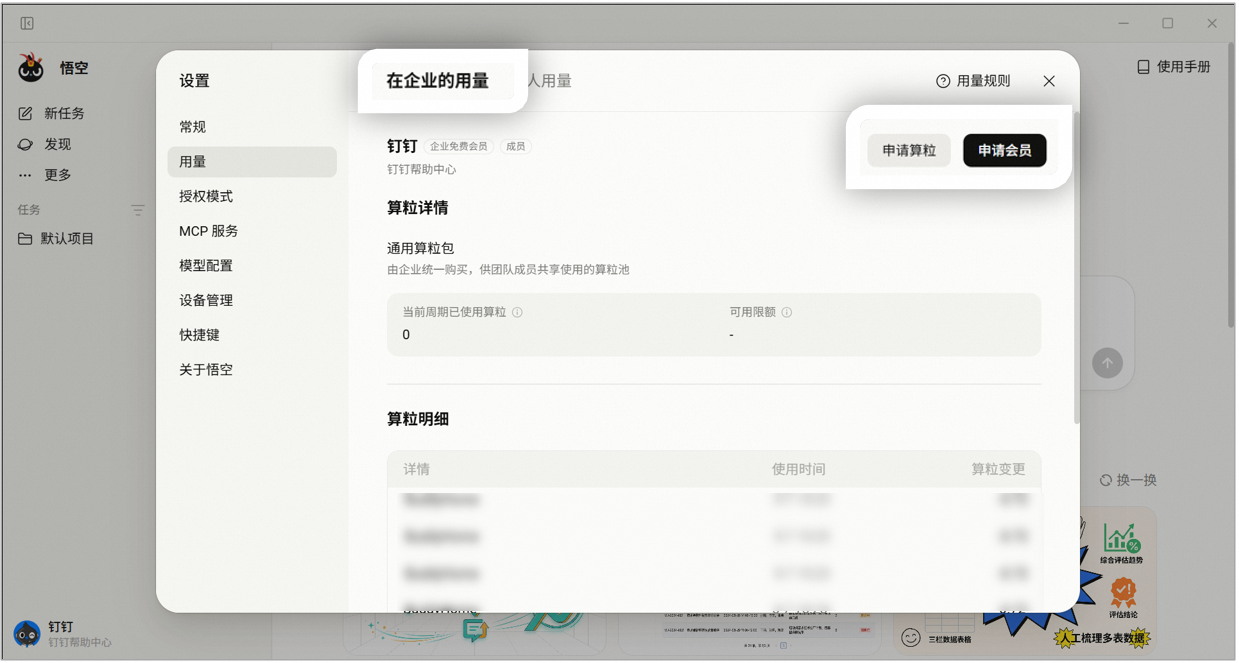
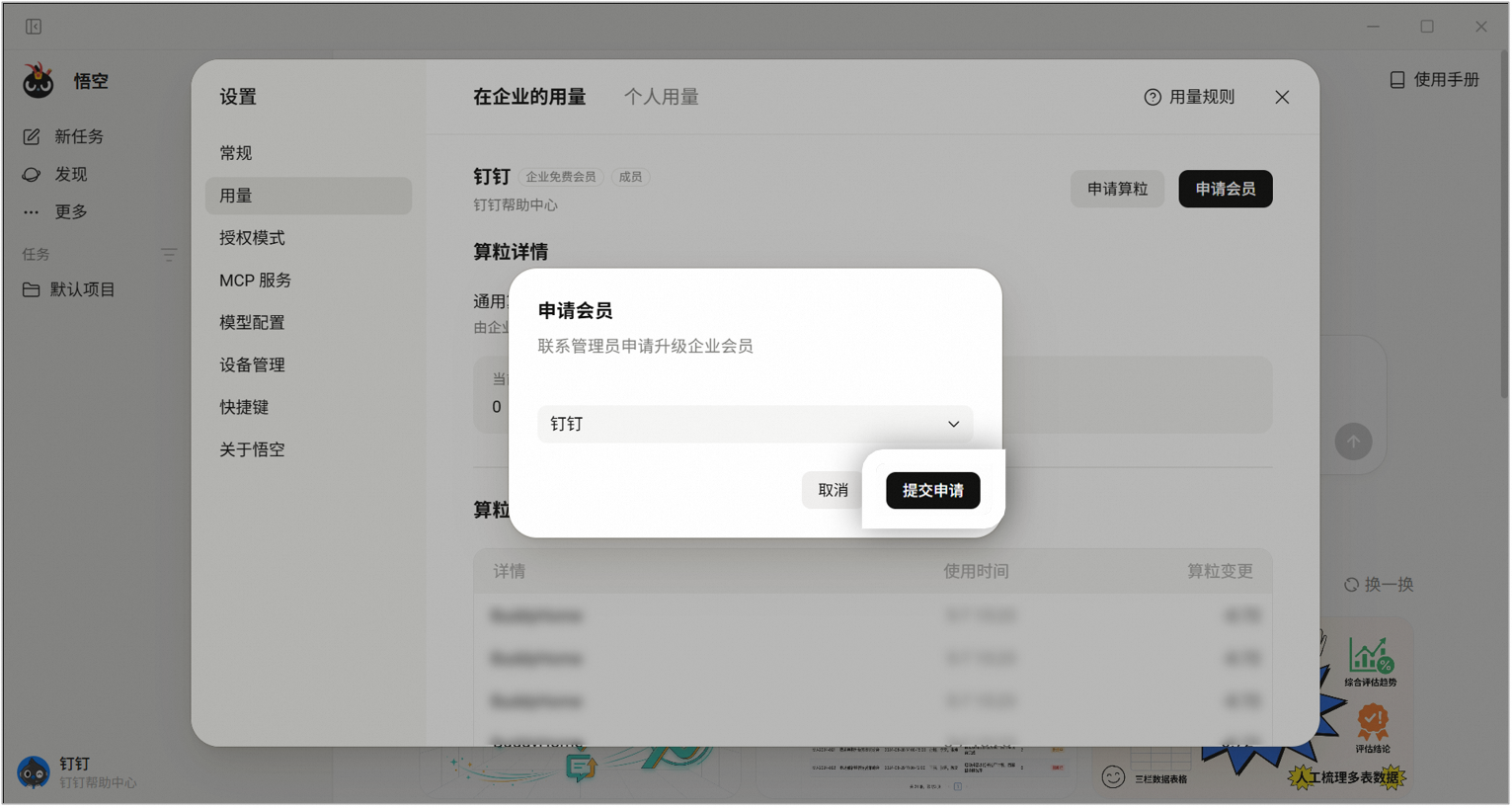

The main administrator received the application message from the employee in the private chat
Card 1: If the enterprise does not have [Assignable Members], press the button [Go to Purchase] and jump to the [Purchase Page]
Card 2: If the enterprise has [Assignable Members], click [Go to Assign] and jump to [DEAP Backstage] Choose to purchase a membership account Jump to DEAP background Assign agents

Assignment only available on PC

Corporate members can purchase individual Wukong memberships by themselves
Open Wukong > Lower left corner Avatar > Settings > Usage > Personal Usage > Upgrade Purchase (ordinary member 39 yuan/month, premium member 99 yuan/month).

FAQ
1. Question: How to charge for Wukong Enterprise membership?
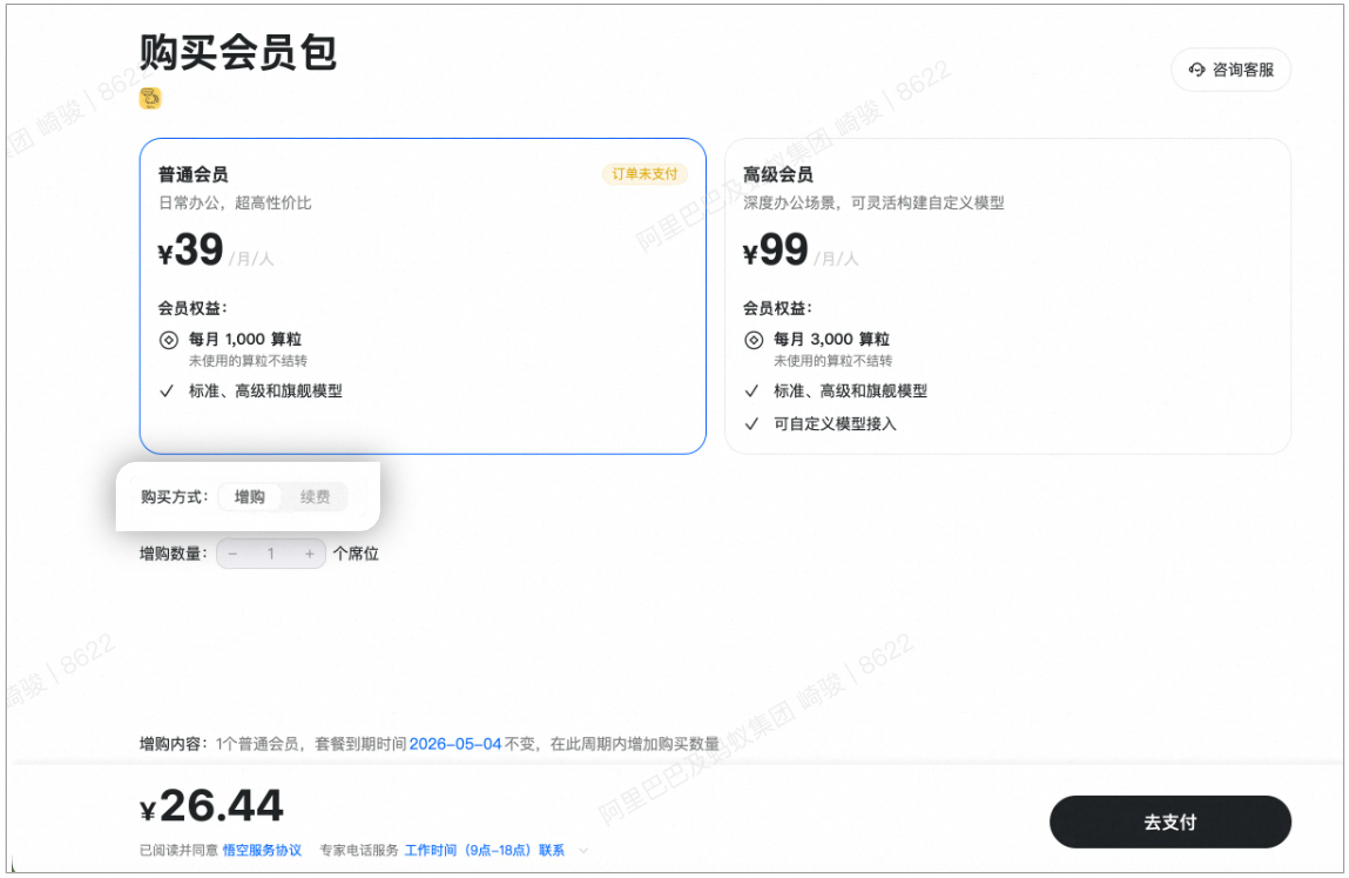
Answer: Wukong corporate membership, ordinary members 39 yuan/month/person, senior members 99 yuan/month/person. If you don’t have enough grains, you can purchase them as needed. General purpose granules are available to all members. After purchase, the usage limit can be set per person/application, making the usage more controllable;

Wukong’s calculation grain consumption gives priority to using enterprise calculation grains (Wukong enterprise member’s calculation grains -> enterprise calculation grains resources). When the enterprise’s calculation grains are exhausted, it will automatically switch to personal calculation grains (free calculation grains -> paid calculation grains), and the calculation grains with the shortest validity period will be consumed first;
The gift grains will be valid for 15 days starting from the date of gifting; when purchasing ordinary members/premium members, the unused grains will not be carried forward and will be cleared on the membership expiration date; additionally purchased recharge pack grains will not be cleared at the end of the month and are valid for up to 1 year.
A total of 4 levels: From light teams to large enterprises, you can find suitable solutions:

2. Question: How to make new purchases, additional purchases, and renewals?
Answer: New purchase stage: Can be purchased in batches/combinations, select the month/year and number of buyers, and the price will be automatically calculated; Additional purchase stage: Before the order expires, if you choose to purchase more, the expiration time will remain unchanged and the price will be calculated based on the remaining time; Renewal stage: Before the order expires, if you choose to renew, the number of seats will remain unchanged and the cycle will be extended.


3. Question: How to recharge Wukong AI counting grains?
Answer: Main Administrator Open deap Backstage > Enterprise Resource Management > Grain Counting Limit > Recharge Grain Counting to make a purchase

4. Question: Where can I view paid orders?
Answer: Authorized administrator enter Administrative Backstage > Value-added Services > My Orders to view.
