FAQ
Q: What is Wukong?
A: Wukong is an AI-powered agent work platform that can operate your computer like a real assistant and help you complete tasks ranging from simple to complex. Wukong is not a chatbot. It is an AI desktop agent that can actually get work done. See About Wukong for details.
Q: Where can I access Wukong?
1. Local computer client (recommended for the full experience)
Best for: daily work, deep control over local files and apps, and long-term stable use.
How to get it: Download now from the official website
- System requirements:
- Windows 10 64-bit version 1909 or later (beta)
- macOS 14 or later (Apple Silicon, beta; Intel support coming soon)
- Key benefits:
- Direct control of local software such as Excel, browsers, and IDEs
- Local-first data processing for stronger privacy
- Best performance by using local computing resources
2. Wukong Cloud PC
Best for: users without a suitable local machine, quick trials, temporary tasks, and scenarios requiring strong isolation.
How to get it: Purchase a Wukong Cloud PC when enabling Wukong.
- Key benefits:
- Ready in minutes, without local environment setup
- Tasks run in an isolated cloud sandbox
- Remote access from tablets, phones, and other lighter devices
3. DingTalk integration (mobile and desktop management)
Best for: starting tasks anytime, checking progress in real time, and mobile work.
- Key benefits:
- Available on phones, tablets, and DingTalk desktop
- Instant DingTalk notifications when tasks finish, fail, or need confirmation
- Entry points:
- IM bot: find Wukong in your DingTalk chat list and start tasks through conversation
- Left workbench in the client: click the Wukong app icon in DingTalk to enter the visual management panel
Q: How do I get a Wukong invitation code?
A: You can request one from the Wukong website. See this guide for details.
Q: Do Wukong invitation codes expire?
A: Yes. Invitation codes are time-limited, so after receiving one you should redeem it in Wukong as soon as possible.
For example, if an invitation code named “Wukong is adorable” is released at 9:00 AM with a limit of 1,000 redemptions, it expires immediately once all 1,000 codes have been claimed.
Q: How do I use a Wukong invitation code?
A: Open the Wukong desktop client. When the invitation-code pop-up appears, enter the code into the input box.

Q: How is Wukong priced?
A: All users, including unpaid users, receive 100 compute credits per day. Credits reset the next day, with a monthly cap of 500 free credits. Once those are used up, you need a Wukong membership to continue using the service. Standard membership is RMB 39/month, and Advanced membership is RMB 99/month.
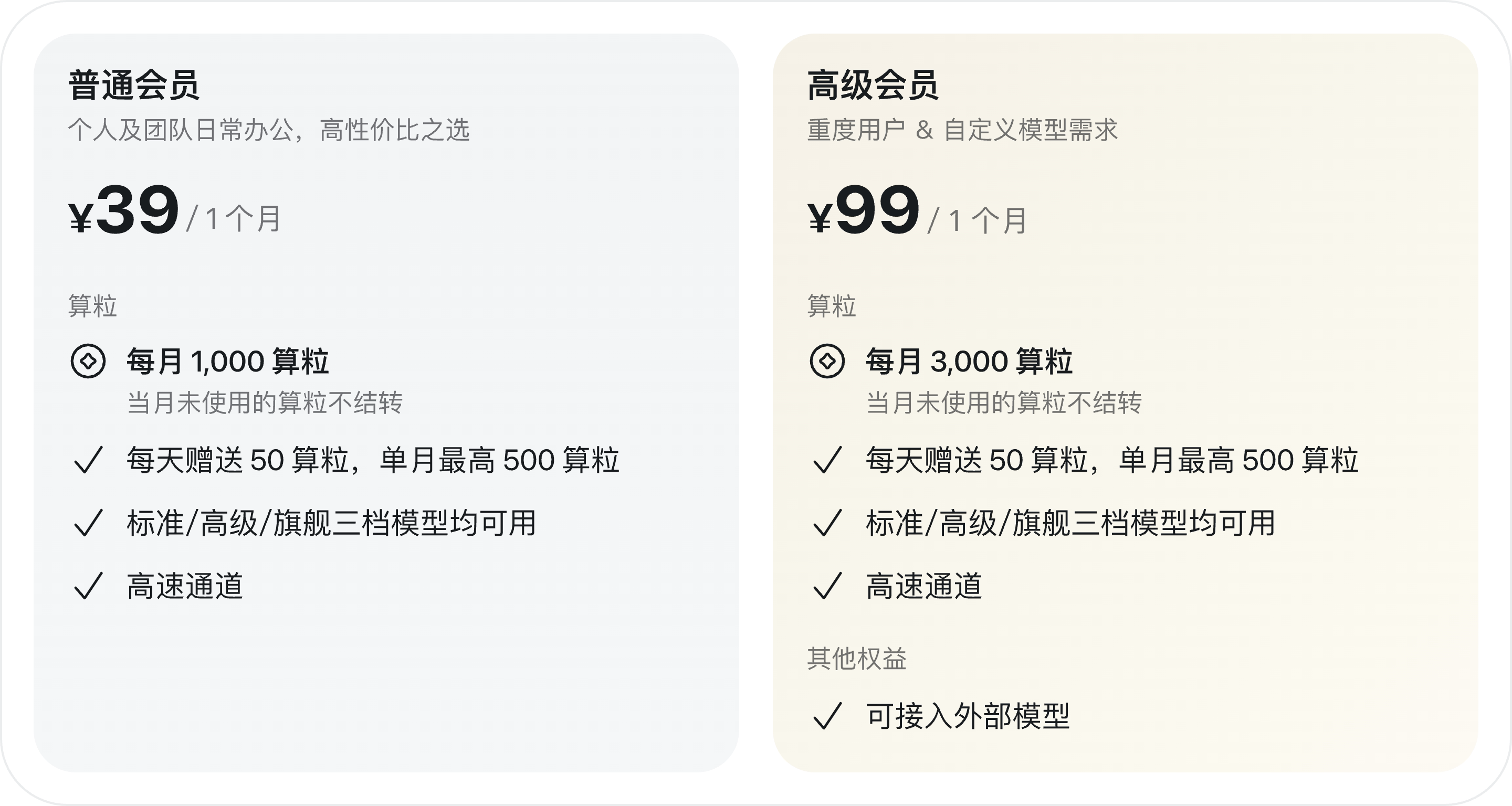
- If you need more credits, you can buy additional top-up packs. Domestic top-up packs are valid for one year, and consumption order is: free credits → membership credits → top-up pack credits.
| Pack | Credits | Price |
|---|---|---|
| Small | 200 | ¥9.8 |
| Large | 2,000 | ¥98 |
Q: When will Wukong be fully launched?
A: Wukong is currently in phased rollout. The full launch schedule will be adjusted based on rollout results, user feedback, and performance metrics to ensure a high-quality experience.
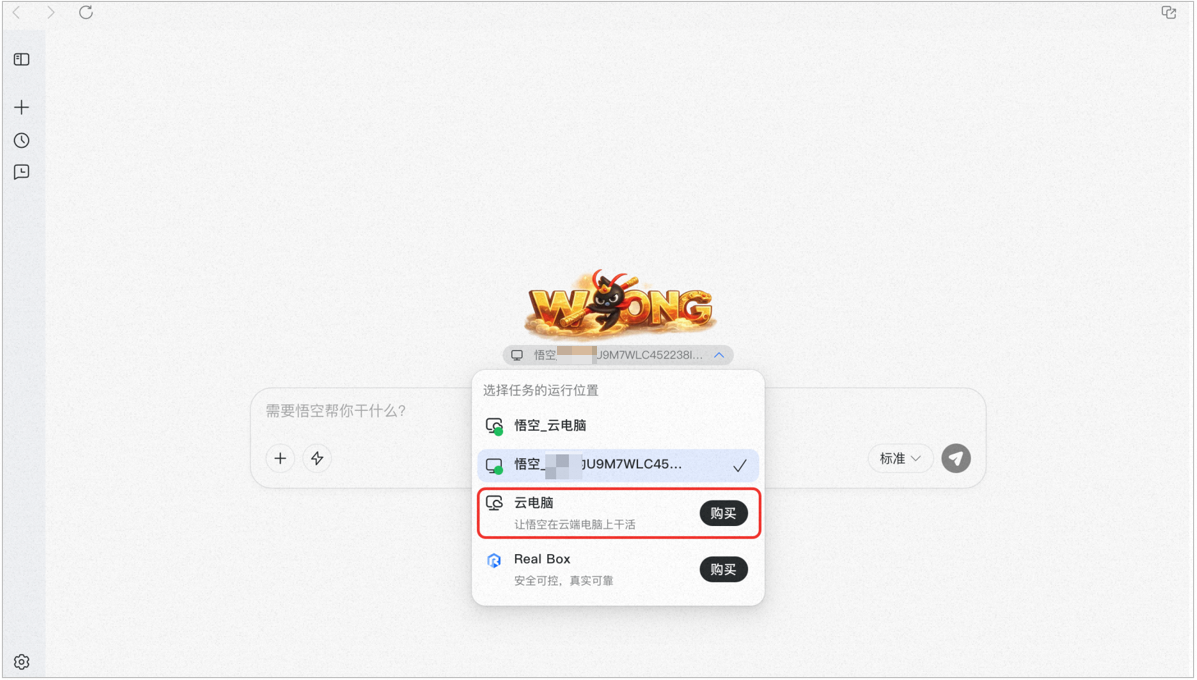
Q: How much does Wukong Cloud PC cost per month?
There is a limited-time offer of RMB 9.9 for the first month. Pricing for later months will be announced separately, and the product page takes precedence.
Purchase path: DingTalk desktop client → Wukong → bottom-left Settings → Purchase Cloud PC.
Q: Are the features the same across access methods?
A: They are mostly the same. Wukong in DingTalk acts more like a control center that coordinates tasks across multiple devices, while the standalone app controls only your local machine.
Q: Is data synchronized?
A: Yes.
Q: Can companies purchase Wukong for employees?
A: Wukong is currently for individual use only and does not yet support enterprise purchasing, although support is planned.
Q: Will using Wukong cause enterprise data leakage?
A: No. Wukong operates only within the permissions the user already has and on the user’s own device. Without user consent, DingTalk will not use Wukong-related data for other purposes or for AI model training.
Q: How can I submit feedback or report issues?
A: Open Wukong, then go to avatar in the bottom-left → General Settings → Help and Feedback to submit support requests or product suggestions.

Q: How should data be handled before leaving a company?
A: Because the user is the controller of the Wukong app on their device, they can reset the app before leaving. If administrators are concerned about access, they should reclaim data permissions and related access before offboarding according to company policy.
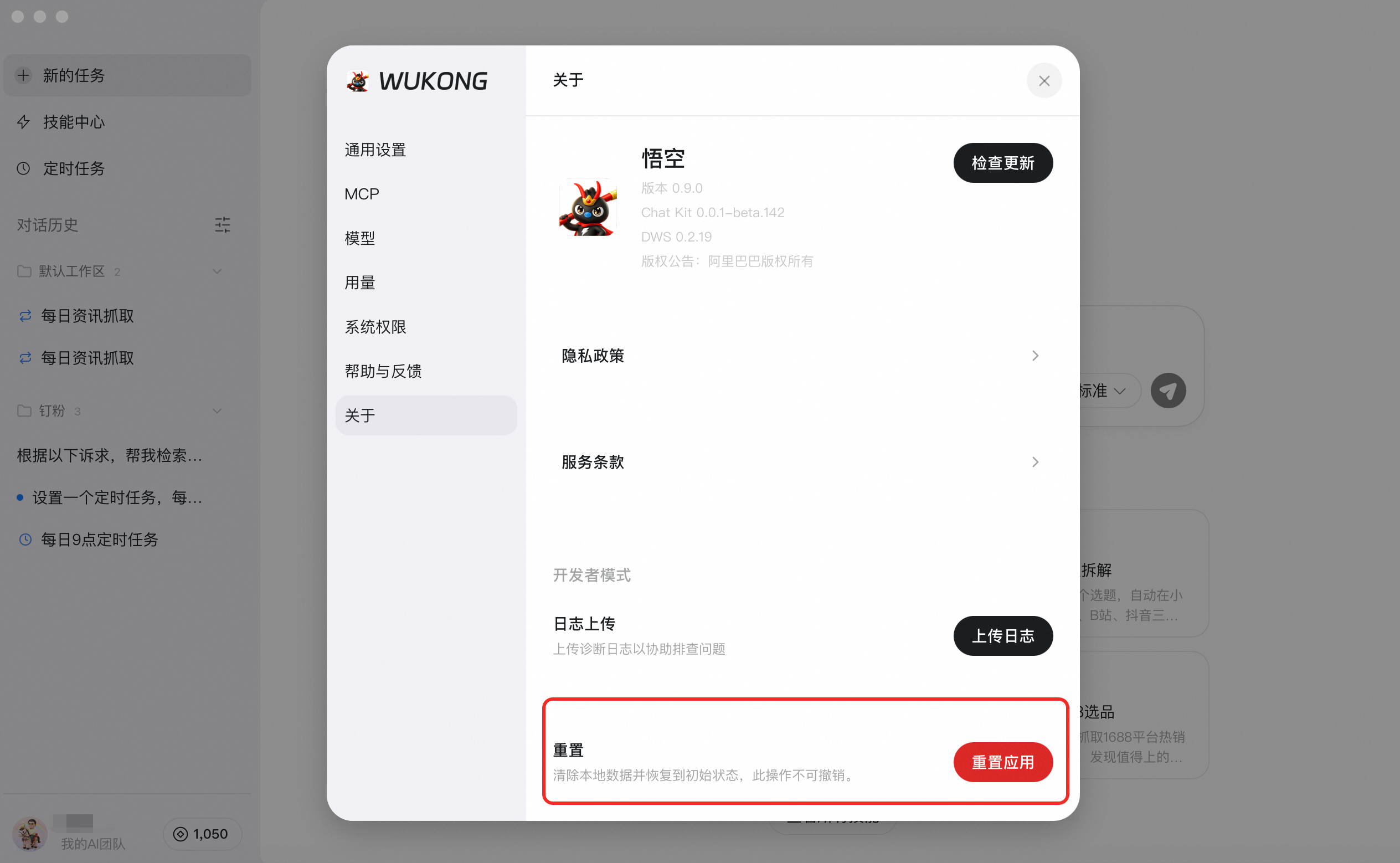
To clear usage history and cache, use the reset action: Wukong → avatar in the bottom-left → About → Reset App.
Note: data cannot be recovered after reset, so proceed carefully.
Q: How do I clear data?
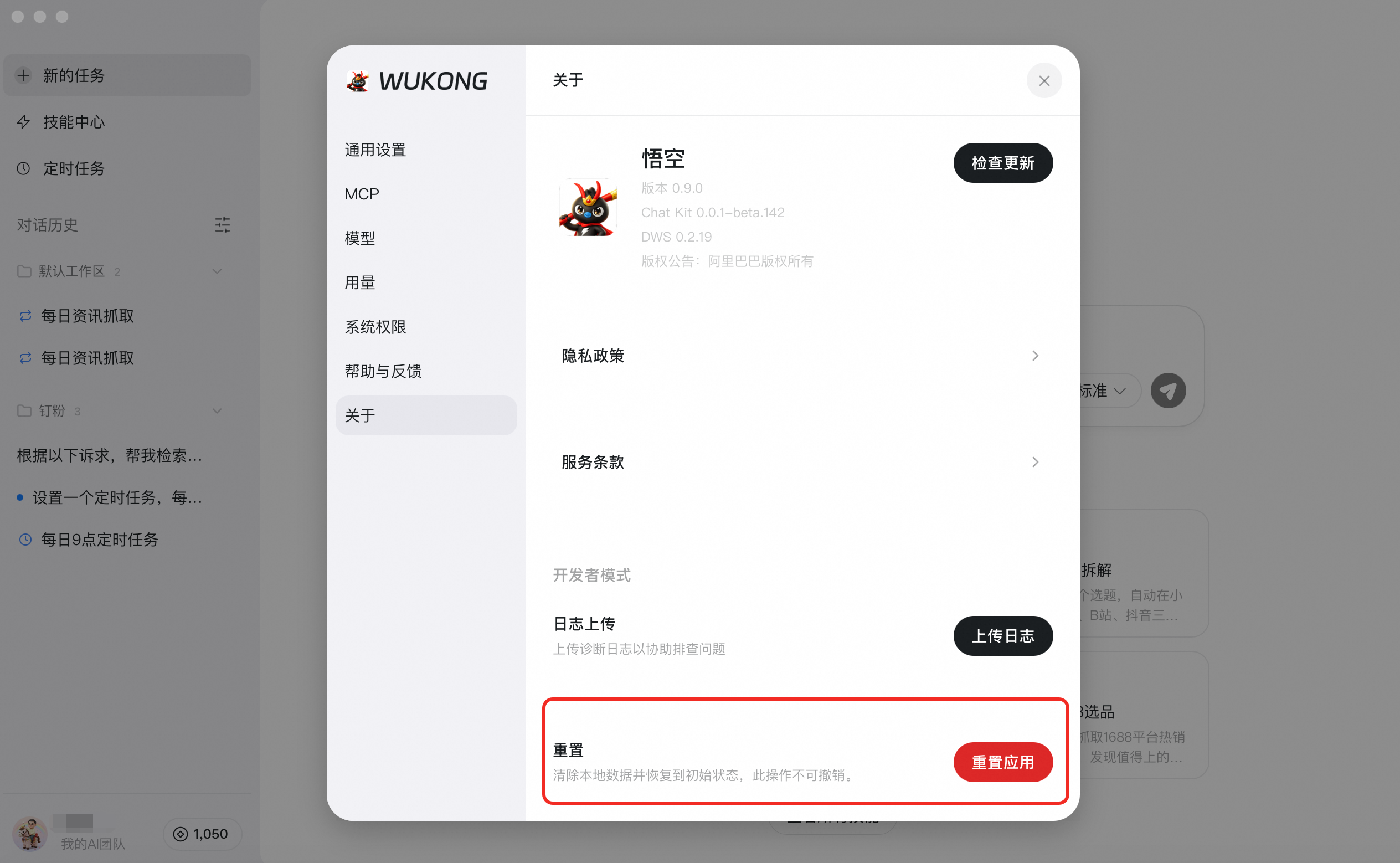
A: Since Wukong uses DingTalk authorization, there is no separate Wukong account to cancel. As long as your DingTalk account remains active, you can sign in again at any time. If you only want to clear local usage history and cache, use Wukong → avatar in the bottom-left → About → Reset App.
Note: data cannot be recovered after reset, so proceed carefully.
Q: How do I add Wukong skills?
A: In the Wukong Skills Center, you can add skills in three ways:
- Upload your own: if you already have a skill package, click Upload Skill to import it.

- Choose recommended skills: browse the Recommended Skills list and add suitable popular skills with one click.

- Create quickly: click Add New Skill to open the skill creation assistant. Enter the capability you want and the assistant will generate and configure a new skill.

Q: How can I quickly share my personal skill?
A: Wukong does not yet support direct sharing of personal skills. You can send the SKILL.md file through DingTalk or have the other person create the skill themselves.
Q: Are Wukong skill names unique?
A: Yes. Each skill must have a unique English name.
Q: What are the system requirements for installing Wukong locally?
A: The minimum requirement is Windows 10+ (64-bit) or macOS 13+.
Note: A newer operating system is recommended for the best experience. If your device does not meet the requirement, you can purchase a Cloud PC version.
Q: Can enterprise admins forbid employees from using Wukong?
A: Wukong is a tool for improving personal productivity and does not exceed the user’s existing data permissions. Enterprise administrators should manage usage through internal policy, data-access controls, device controls, and other IT measures.
Q: How many languages does Wukong currently support?
A: Wukong currently supports 33 languages. You can switch languages in Wukong → avatar in the bottom-left → General Settings → Language. Supported languages include Simplified Chinese, Traditional Chinese, English, Japanese, Korean, French, German, Spanish, Italian, Portuguese (Brazil), Portuguese (Portugal), Russian, Arabic, Hindi, Bengali, Urdu, Turkish, Vietnamese, Thai, Indonesian, Malay, Dutch, Polish, Swedish, Norwegian, Danish, Finnish, Czech, Hungarian, Romanian, Ukrainian, Hebrew, and Greek.
Q: How do I personalize Wukong settings?
A: Open Wukong and go to the bottom-left avatar area to personalize settings such as general preferences, Wukong nickname, tone style, model, and permissions.
Q: How do I change the Wukong model?
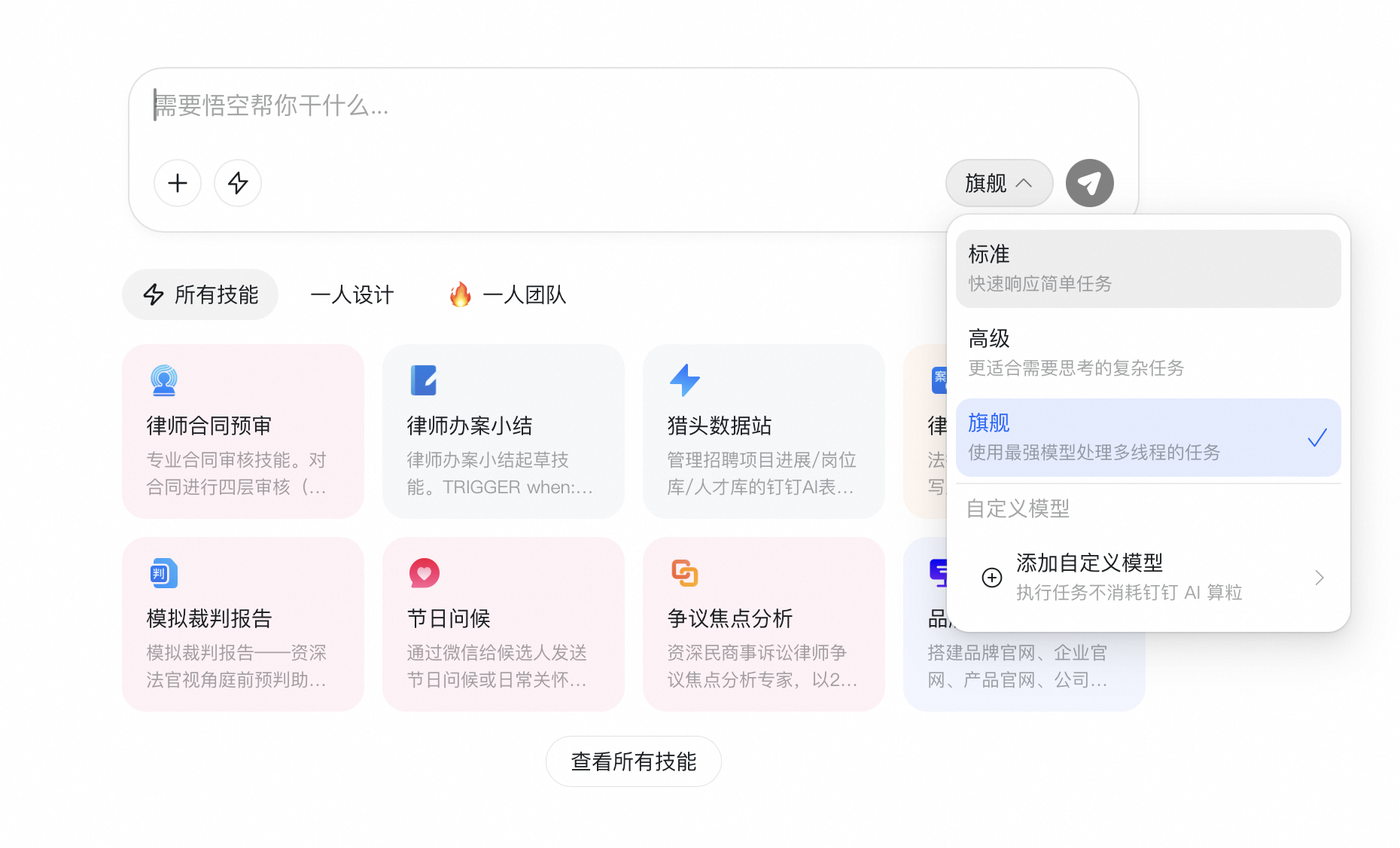
A: This is available only to Advanced members. In Wukong, go to the bottom-left avatar area → Model, then add the model you want. Wukong currently supports models such as Qwen, MiniMax, OpenAI, GLM, Kimi, Claude, and Gemini.
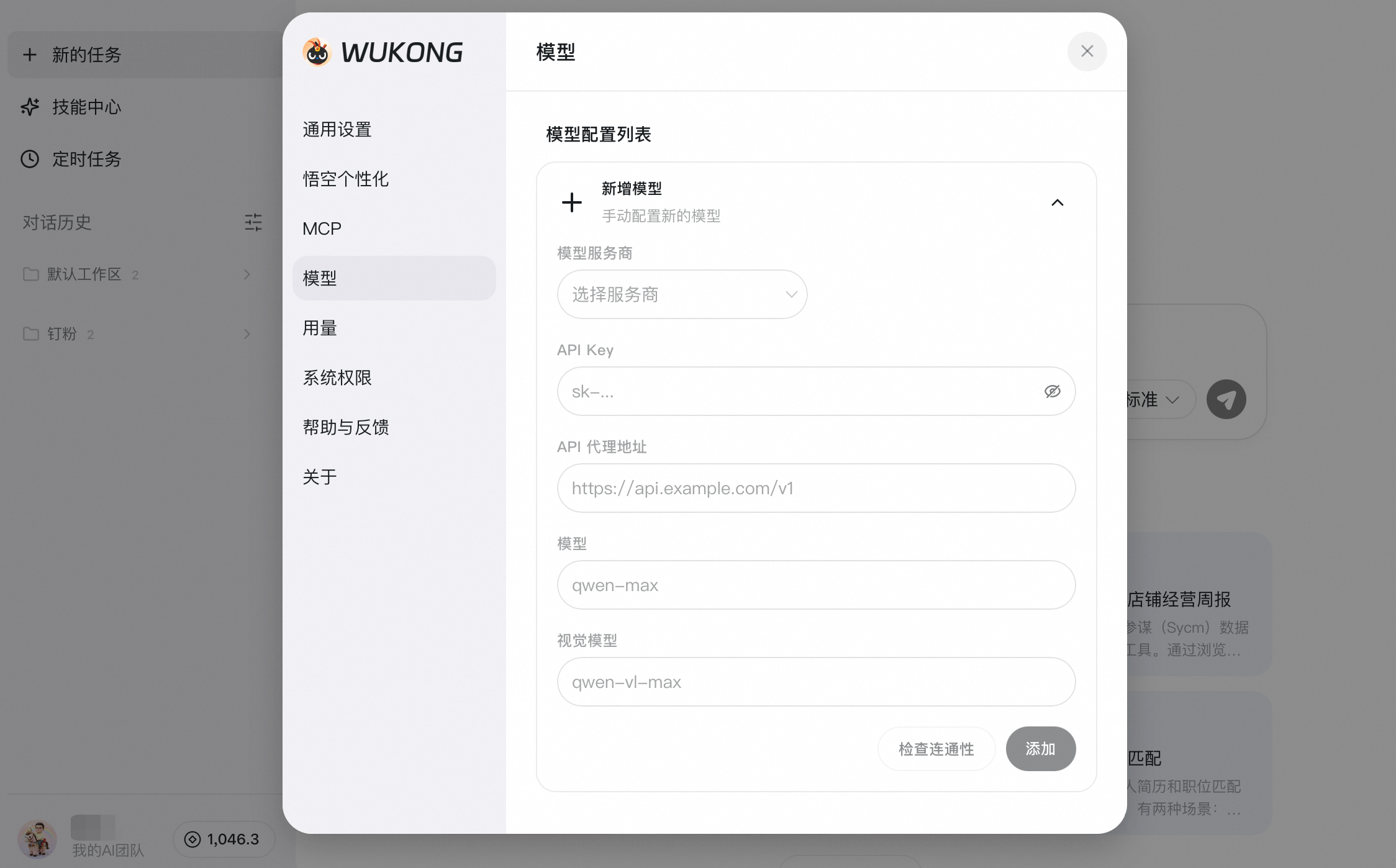
While using Wukong, you can switch models and add custom models.
Q: Does the DingTalk Professional edition cover all members?
A: Yes. In DingTalk Professional and Exclusive Edition organizations, all members can receive the basic daily AI compute-credit benefit, which follows the same standard as free users.
Q: Does the Professional edition include extra benefits?
A: Yes. You automatically receive the benefits of Wukong Standard Membership, which would normally cost RMB 39/month. However, this benefit covers the membership features only and does not include the original package’s 1,000-credit bundle. Your regular AI usage still uses the daily base quota granted to all members of Professional and Exclusive Edition organizations: 100 compute credits per person per day.
Q: How many Cloud PCs can I buy?
A: One DingTalk account can purchase only one Wukong Cloud PC.
Q: In what order are compute credits consumed?
A: Free credits are consumed first, then membership credits, then top-up pack credits.
Q: Can I get a refund on an annual membership?
A: Refunds are not supported.
Q: Is bulk activation supported?
A: No. Only individual purchases are currently supported.
Q: How do I renew Standard Membership?
A: Renewal is not yet available, but it is planned before current memberships expire.
Q: If I use my own model, will compute credits still be consumed?
A: Only Advanced members can connect custom models. If you are not an Advanced member, Wukong will continue using the default built-in models, and compute credits will still be consumed.