General Settings
1. Overview
Wukong supports personalized client configuration, including custom settings for language, models, MCP, and more.
2. Navigation
Path: open the Wukong client and click your avatar in the bottom-left corner.
General
Language and Appearance
Wukong currently supports 33 languages, including Simplified Chinese, English, Japanese, Korean, and French. You can also configure appearance options such as theme colors and font scaling.

MCP
MCP Connections
You can manually configure new MCP server connections, including server type, server name, command, extra arguments, and environment variables.

Models
Model Configuration
You can manually configure new models by choosing a model provider and setting items such as the API key, API proxy address, model, and vision model.

Usage
Usage Details
You can view compute credits included in paid plans, daily free credits, and detailed consumption records. Click Upgrade Plan to purchase a Wukong membership.

System Permissions
Permission Management
You can manage permissions for accessibility, screen recording, microphone, camera, notifications, location, and automation.

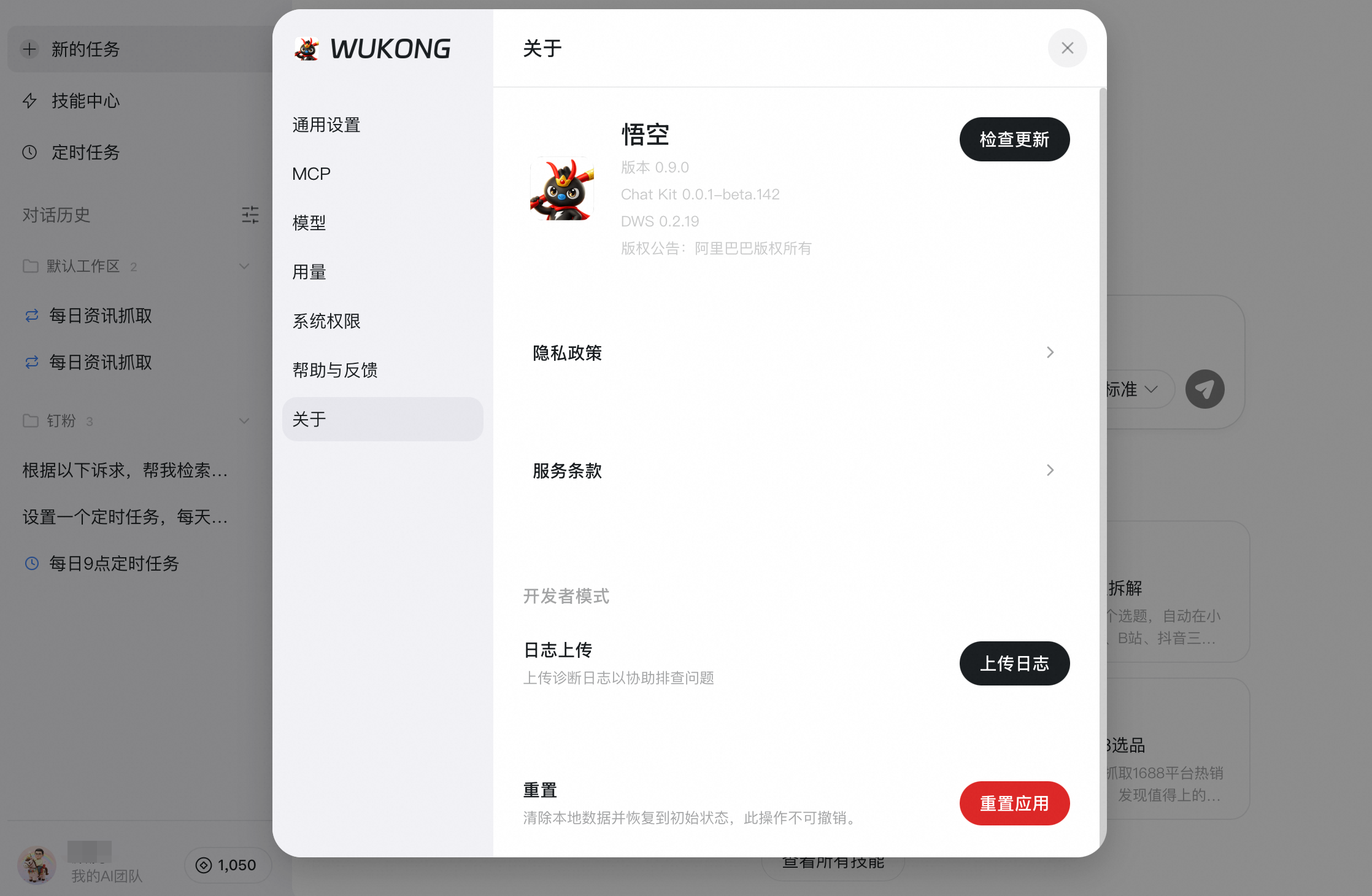
About
About the App
You can view the Wukong version, check for updates, upload logs, and reset the app to clear data and restore the initial state.
3. FAQ
Q: How many languages does Wukong currently support?
A: Wukong currently supports 33 languages. The product page is the source of truth. Supported languages include Simplified Chinese, Traditional Chinese, English, Japanese, Korean, French, German, Spanish, Italian, Portuguese (Brazil), Portuguese (Portugal), Russian, Arabic, Hindi, Bengali, Urdu, Turkish, Vietnamese, Thai, Indonesian, Malay, Dutch, Polish, Swedish, Norwegian, Danish, Finnish, Czech, Hungarian, Romanian, Ukrainian, Hebrew, and Greek.
Q: Which models can currently be added to Wukong?
A: Wukong supports adding models such as Qwen, MiniMax, OpenAI, GLM, Kimi, Claude, and Gemini.